About user audit settings
User audit settings are under Configure > All Settings > Administer: User Audit on the Settings tab. Both the logging and alerting are disabled by default.
User audit page - Settings
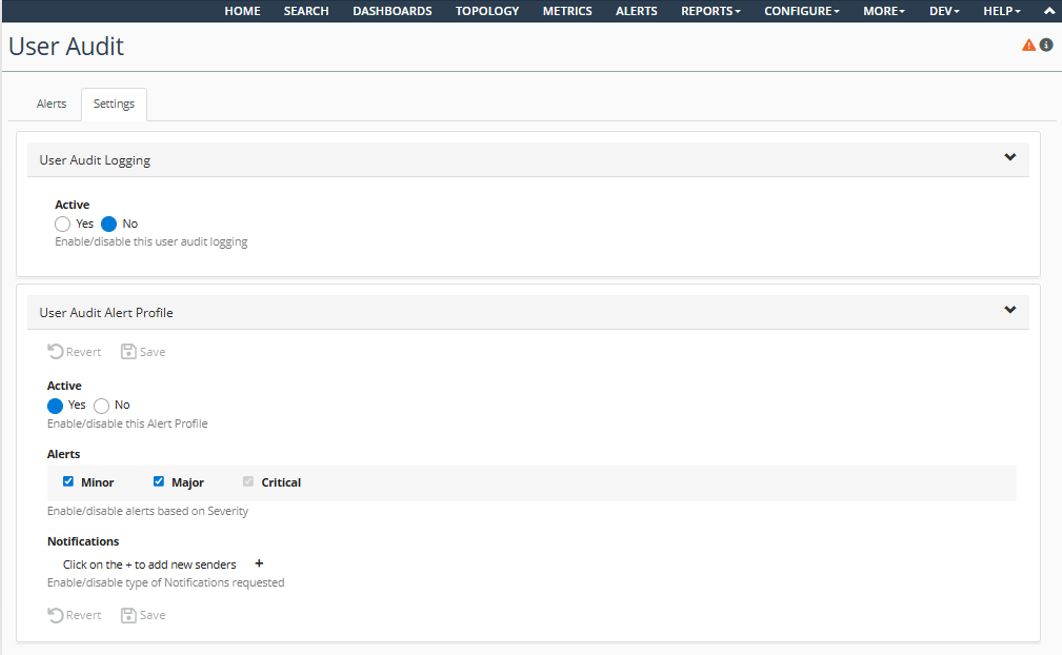
User audit logging is enabled via a toggle control at the top of the Settings page. Once this is enabled, entries for user events will be logged to the <NetIM_Root_Directory>\log\api_request.<time>.log file.
NetIM can also be configured to create user audit alerts for certain events that it tracks. In addition to displaying the alerts in the Web UI, NetIM can also be configured to send notification messages for the user audit alerts. The controls in the Audit Alert Profile section of the Settings page control the creation of these alerts and notifications. The Active flag controls whether any alerts are created. The Minor, Major, and Critical checkboxes specify whether alerts of those severities are created. For security reasons, the Critical checkbox cannot be disabled.
The Notifications section specifies which notification methods should be used for the user audit alerts. Users can configure more than one notification method.
About user audit notification messages
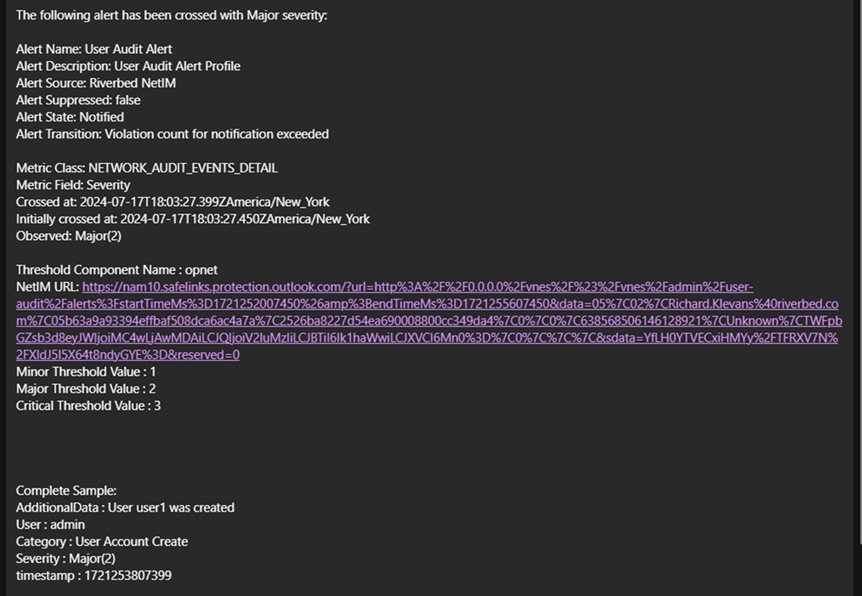
Notification messages for user audit alerts will be similar to metric violation alerts. The Category field will indicate which kind of event was detected, the AdditionalData field will give details of that event, and the User field will indicate which NetIM user performed the operation. The URL embedded in the notification message can be used to navigate back to the user audit alerts page to view the alert in more detail.
An example email notification message for a user account being created is shown in this figure:
User audit email notification