Configuring filtering of unwanted interface alerts
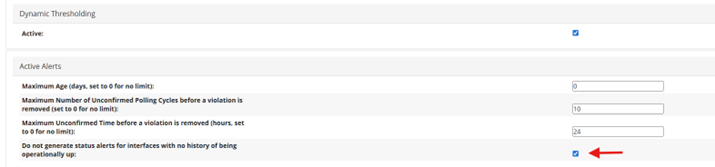
You can configure filtering of unwanted alerts on interfaces which are normally operationally down under Configure > All Settings > General Settings. This option is disabled by default.
If this option is disabled, the system will generate an alert whenever an alert profile on the device detects an issue with the interface status—no matter what the previous status was.
With this option enabled, you will receive interface status alerts only for those interfaces which have ever been up in the past. All existing alerts in the system which don’t satisfy this condition will be removed.
Unwanted interface alerts general setting